PDSS Lab
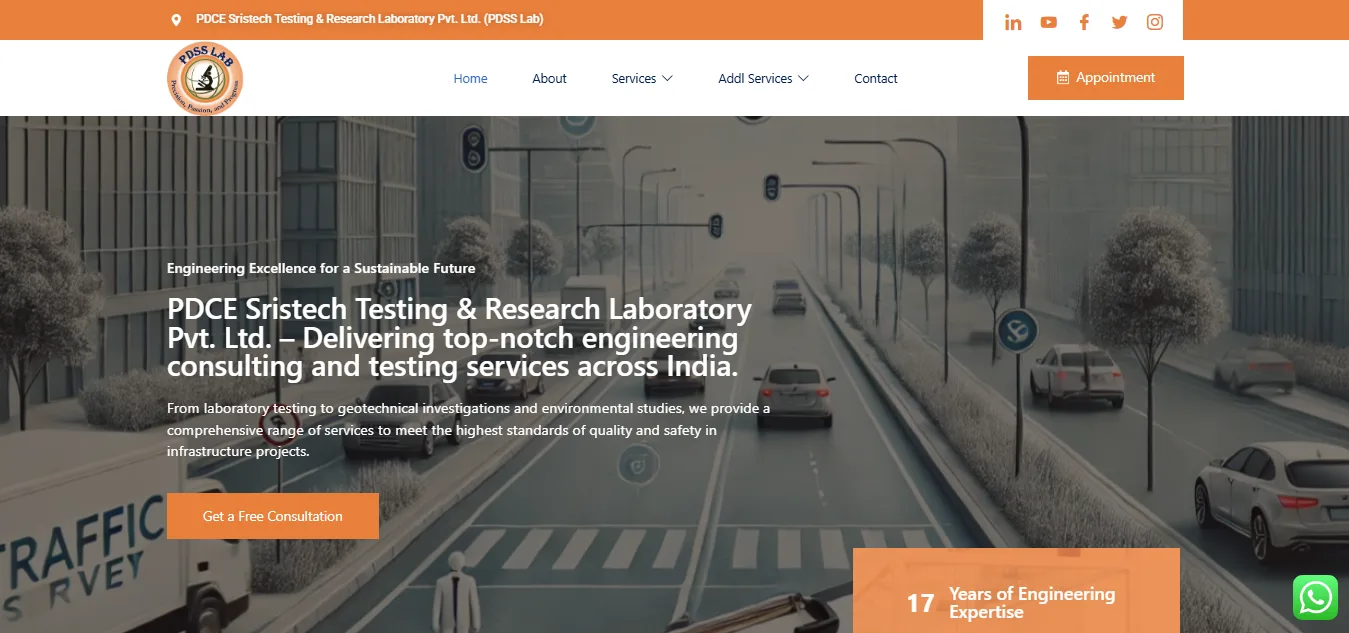
A responsive laboratory website designed to manage services, reports, and client inquiries.
Project Overview
What It Does
PDSS Lab is a diagnostic laboratory website focused on presenting lab services, report-related information, and inquiry paths in a clear public-facing experience.
Target Users
Patients, families, healthcare coordinators, and business clients looking for diagnostic service information and contact details.
Purpose
The website was built to make lab services easier to understand, improve trust, and simplify the route from service discovery to inquiry.
Problem Statement
Lab websites can become difficult to use when service details, report instructions, and contact information are scattered or buried.
Clear healthcare service communication matters because visitors often need quick, trustworthy information before making a call or visit.
My Role And Responsibilities
Frontend
- Designed responsive service sections with clear visual hierarchy and mobile-friendly spacing.
- Built page layouts that surface service information, trust cues, and contact actions without unnecessary complexity.
Backend
- Configured WordPress content structures for services, media, pages, and repeatable informational sections.
- Used PHP and CMS patterns to keep the site maintainable for future service and report updates.
Deployment
- Prepared production hosting setup and checked public pages after launch.
- Verified navigation, contact visibility, and service page behavior across mobile and desktop.
Technical Implementation
Frontend
Used WordPress and Elementor to create service-first pages with responsive layouts, concise content blocks, and accessible contact paths.
Backend
Used PHP-backed WordPress functionality for content management, page rendering, and admin editing workflows.
Database
Relied on WordPress database structures for services, pages, media, and configuration data.
Authentication
Public pages remain open for visitors while administrative updates are protected through WordPress login.
API Architecture
The project uses WordPress-managed content rather than custom APIs, matching the needs of a service website.
Reusability And Components
Service and contact sections were built as reusable patterns to keep future updates consistent.
State Management
The site uses mostly content-driven interactions, keeping client-side state minimal and stable.
TypeScript Usage
This project uses WordPress, PHP, and JavaScript rather than TypeScript because content editing and service presentation were the main priorities.
Architecture Overview
Frontend
WordPress + Elementor
Backend
PHP + WordPress CMS
Database
WordPress database
Deployment
Production WordPress hosting
Challenges And Solutions
Challenge 1
Presenting healthcare service information clearly without making pages feel crowded.
Solution
Used service-first grouping, concise copy, and contact prompts positioned near relevant information.
Challenge 2
Making contact and inquiry actions visible for mobile visitors.
Solution
Prioritized responsive spacing, scan-friendly sections, and clear navigation to contact information.
Challenge 3
Keeping the site maintainable for future service and report updates.
Solution
Structured repeatable WordPress sections so common content changes do not require layout rebuilds.
Performance And Optimization
Lazy Loading
Kept non-critical media lazy and avoided heavy decorative sections that would slow service discovery.
Code Splitting
Used focused page templates and lightweight public content patterns.
Image Optimization
Compressed lab visuals and reused media carefully to keep page load predictable.
Lighthouse And SEO
Reviewed mobile usability, content readability, and loading behavior during production checks.
Improved service page structure, headings, descriptive content, and internal contact paths.
Deployment And DevOps
Hosting
Deployed on WordPress-compatible hosting suitable for a public service website.
Environment Variables
Configured production domain, WordPress settings, plugin behavior, and media paths.
Docker
Docker was not needed for the current WordPress deployment workflow.
CI/CD
Content updates can be published through WordPress and checked on the live site.
Production Considerations
- Verified service and contact pages after launch.
- Checked responsive rendering and public navigation for key visitor paths.
Results And Impact
Outcomes
- Improved visibility of diagnostic lab services and contact information.
- Created a more trustworthy, organized public web presence.
- Reduced friction for visitors trying to understand services or initiate an inquiry.
User Experience Improvements
- Service information is easier to scan on mobile devices.
- Contact paths are more visible from service-oriented sections.
Reusable And Scalable Design Notes
Modular Structure
Reusable service sections make it easier to add tests, departments, and informational pages.
Maintainability
WordPress editing workflows allow routine content updates without changing the underlying page structure.
Scalability Notes
- Future report-related workflows can be linked from the existing information architecture.
- Service pages can be expanded into more specific SEO landing pages as the lab grows.
Need A Similar Product Build?
If you are planning a project like this, I can help you move from concept to production with practical engineering and clean delivery.